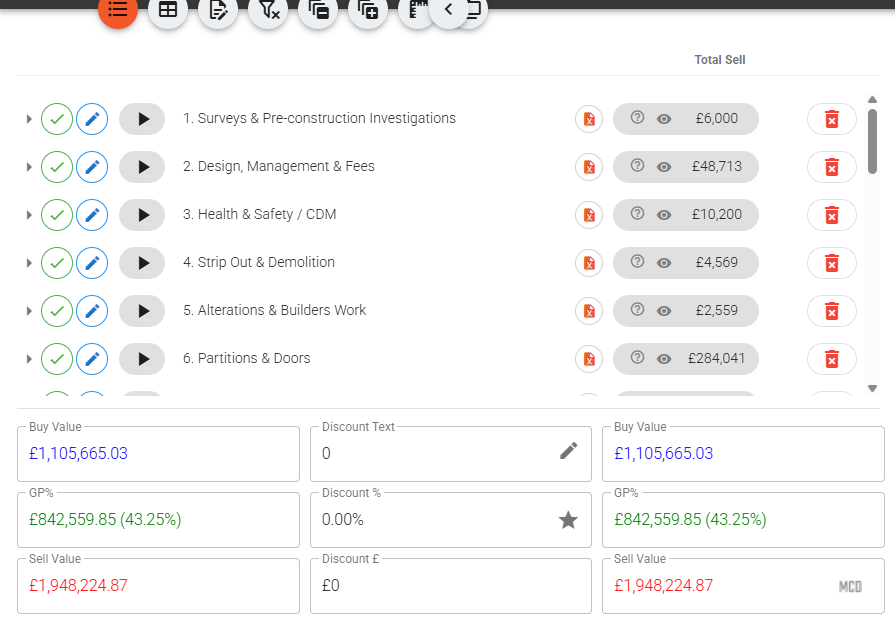
Every estimating team has had the afternoon. A junior is asked to "tidy up" the mechanical section on a live fit-out quote. Three hours later a whole subsection has been restructured, a handful of provisional sums have been flattened into single lines, and the sell total is four grand adrift from where it started. Nobody wrote down what the quote looked like at lunchtime. The only "backup" is whatever version happens to be sat in someone's email — which is exactly the mess that filenames like Rev-C_actual-final.xlsx were supposed to solve and never did.
In a spreadsheet, that afternoon is gone. You rebuild from memory, or you accept the damage. Neither is good enough when the number is going to a client on Friday.
The quote remembers itself
In Vyntworks every quote keeps its own timeline. You don't have to remember to save a copy, and you don't rely on anyone's discipline. Version History captures a snapshot automatically at the moments that matter: when you open the quote in the editor, periodically through a long working session, whenever the AI first touches it, and before every restore. On top of that you can drop a manual restore point with a label — "before option work", "as sent to client" — any time you're about to do something risky.
Open the drawer from the quote's top-left menu and you get the whole history newest-first. Each snapshot carries a chip saying where it came from — Editor opened, Editor session, AI chat, Restore point — the time, who caused it, the sell total at that moment, and the difference against the quote as it stands now. So the lunchtime state isn't a vague memory. It's a row in a list with a figure next to it.
See exactly what a restore would do — before you do it
The bit that turns nervousness into confidence is the diff. Pick any snapshot and Vyntworks shows you precisely what has been added, removed and changed since — line by line, with the sell delta. Before you touch anything you can see that the "tidy up" added two lines, removed nine and moved the total by £4,120. No guessing, no reconstructing two versions side by side at midnight.
When you've seen enough, Restore puts the quote back exactly as it was at that moment. A confirm dialog spells out what will change first, and — this is the part that matters — the current state is saved as its own restore point before the swap. So a restore can itself be undone. If it turns out the junior's rework was half-right and you wanted to keep two of those changes, you haven't burned any bridges: you can roll forward again just as easily. Totals recalculate and any open editor reloads on its own.
That safety net is why teams stop being precious about experimenting on a quote. Trying a cheaper spec, stripping the prelims to test a keener number, letting the AI restructure a messy import — none of it is a one-way door when the previous state is one click behind you.
Different from revisions — and why you want both
This is not the same thing as revisions. A revision is a new, official version of a quote that you raise when the client comes back wanting oak instead of laminate — a sibling quote with an advancing label, one of which is marked live. Version History is the quote's own private undo trail: the small, in-progress states between those milestones. Revisions are the story you show the client; Version History is the seatbelt you wear while you work.
Projects get the same treatment. Every project keeps a timeline too, snapshotting before each grid write — editor saves, purchase-order writes, variation writes, AI edits. The one important difference is that a project restore is a smart merge, not a blunt rewind: lines carrying live purchase orders keep their links, variations raised since the snapshot are kept rather than orphaned, and the buy/sell figures recompute cleanly. You get the safety of an undo without severing the commitments the job has taken on since.
Everything is kept for 30 days in full, then thinned to daily and weekly states, and a quote's original state is never discarded — while labelled checkpoints you save yourself are held for at least a year.
The point isn't that people stop making mistakes on quotes. They won't. The point is that a bad afternoon stops being expensive. If your estimators are still emailing themselves copies "just in case", book a walkthrough and we'll turn Version History on against one of your own live quotes so you can watch a rebuild become a single click.