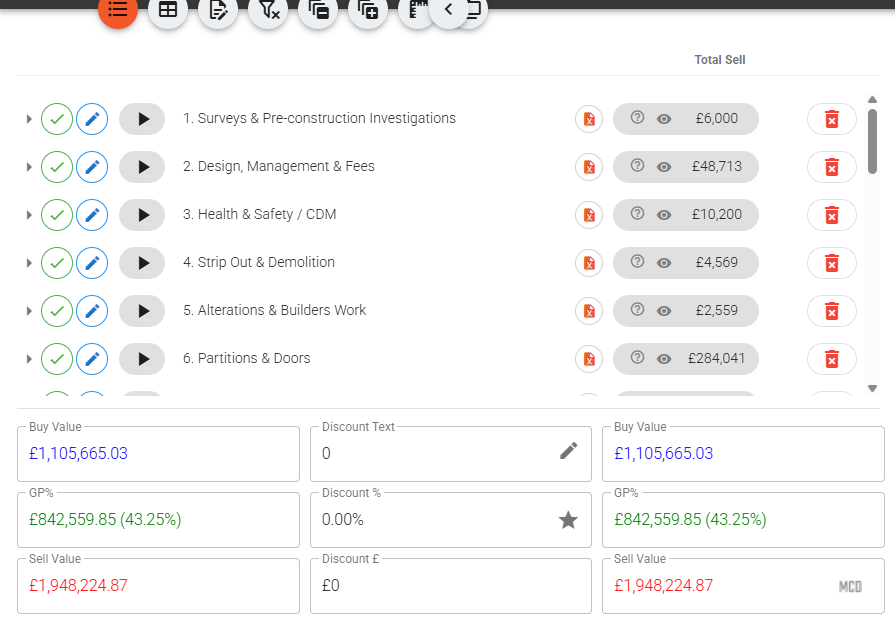
Most contractors don't buy a disconnect on purpose. It arrives one tool at a time. Estimating lives in one system, procurement in another, and the accounts sit in Xero being looked after by someone who never sees the job until an invoice needs raising. Each tool is fine on its own. The cost is in the space between them — and it never appears as a line on any report.
That space is where a buyer re-types an invoice by hand from a PDF, where the same client ends up in the accounts package three times under three slightly different names, and where nobody can say on the 12th of the month what has actually been billed against a contract without opening two systems and a spreadsheet to reconcile them. None of it is dramatic. All of it is expensive.
The re-keying tax nobody puts on the invoice
Think about what happens on a typical application for payment when the systems don't talk. Someone works out the figure in the commercial model, writes it up, and then a second person keys the same numbers into the accounts package to actually raise the invoice. The AFP number, the line detail, the retention line, the dates — all typed again. Every re-key is a chance to transpose a figure, drop the retention, or bill against the wrong contact.
On a Vyntworks job with an accounts connection switched on, that second keystroke simply doesn't exist. You raise the invoice against the project it belongs to, and pushing it to Xero creates it there in one action — carrying the full line detail, including the negative retention line on an application invoice, and the client contact with it. The invoice you certified is the invoice that lands in the accounts package. There is no translation step for a number to go missing in.
By default the push lands as a draft in Xero for a final look before it's authorised. If your Vyntworks approval is already the last sign-off, a company setting lets it push straight through as authorised, so there's no second rubber-stamp inside the accounts package. Either way, the same is true on the buying side: an authorised purchase order pushes to the accounts connection the moment it's approved, so committed cost and actual spend are recorded against the same job in the same place.
One client, one contact, one number
Here's a smaller leak that quietly compounds. When two systems match clients by email address, the same customer ends up duplicated in the accounts package the first time someone's email is spelled differently or a job is run under a slightly different trading name. Now your aged debtors are split across three "Acme Interiors" contacts and no single one shows the real exposure.
Vyntworks remembers a client's Xero contact ID after the first push, so every repeat invoice reuses the exact same contact rather than matching by email and guessing. If the client doesn't exist in the accounts package yet, it's created once, automatically, and reused from then on. One client, one contact — so the debtor report you pull actually reflects one relationship instead of three fragments of one.
The number comes back — and flags when something moved
A one-way push is only half of talking. The dangerous version of a disconnect is when an invoice is changed inside the accounts package and your commercial system never finds out — so you're reporting against a figure that's no longer true.
Vyntworks mirrors the invoice back the other way. When something is authorised or paid in Xero, the status follows automatically — live via webhook, with a daily poll and a manual refresh button as backstops. It also brings back the invoice number and cross-checks the figures: the ex-VAT, VAT, total and dates in Xero against the ones you raised. If someone edits an invoice inside Xero, Vyntworks doesn't silently overwrite its own copy — it flags the invoice with a plain "differs from Xero, +£X / −£X", tells you exactly which field moved, and keeps a trail of who changed what and when. You then either correct it in Xero or deliberately adopt the accounts-package figures. The point is that a change in either system can never quietly desync the two.
Closing the gap, not adding another tool
The honest problem with most integrations is that they're a bridge between two systems that still each hold their own version of the truth. Vyntworks isn't a bridge — the estimate, the orders, the invoices and the figures that reconcile them are one connected model, and the accounts package is where the finished invoices and POs land, mirrored back so the two never drift.
Connecting your accounts package is a setting an admin switches on under Connections — it isn't a separate module, and it's included, not a paid add-on (see pricing). If you're tired of paying the re-keying tax at month end, book a walkthrough and we'll connect a test job to your own accounts package so you can watch an invoice go across — and come back — without anyone typing it twice.