A tender pack lands on Thursday afternoon. Twenty-two sheets, returns due Monday. Somebody prints the general arrangement at A1, somebody else opens a measuring tool, and by Sunday night there is a spreadsheet full of numbers that nobody can trace back to a specific line on a specific drawing.
Then the architect issues Revision C.
This is the part of estimating that eats the most hours and produces the least defensible output. Not the pricing — you know your rates. The measuring, and the re-typing of what you measured into somewhere it can be priced.
The problem isn't measuring. It's the gap after it
Take-off software measures well. Estimating software prices well. The damage happens in the space between them, where a number leaves one system as a quantity and arrives in another as a typed value with no memory of where it came from.
Once that hand-off has happened, three things become true at once. You cannot audit the estimate — the 486 m² of raised floor is just a number in a cell, and proving it means measuring again. You cannot update it cheaply — a revised drawing means re-measuring, re-typing, and hoping you catch every affected line. And you cannot hand the job over — the estimator who did the take-off is the only person who knows which rooms were included and which were assumed.
Measure on the drawing, in the same window as the quote
In Vyntworks the take-off lives inside the quote. From the quote editor you open Drawings / Takeoff, upload the PDF, and measure against the same document you are pricing.
The mechanics are ordinary and deliberately so. Calibrate the page first — draw a line along a known dimension, type its real length, and the scale is set; until you do, everything reads 0.00 rather than quietly reading wrong. Then create a group to hold the work — Partitions — Level 2, Ceilings, Doors — and measure into it with the linear, area or count tools. Each group carries a running total per page. Multi-page sets calibrate page by page, so a details sheet drawn at 1:20 doesn't corrupt the GA at 1:100.
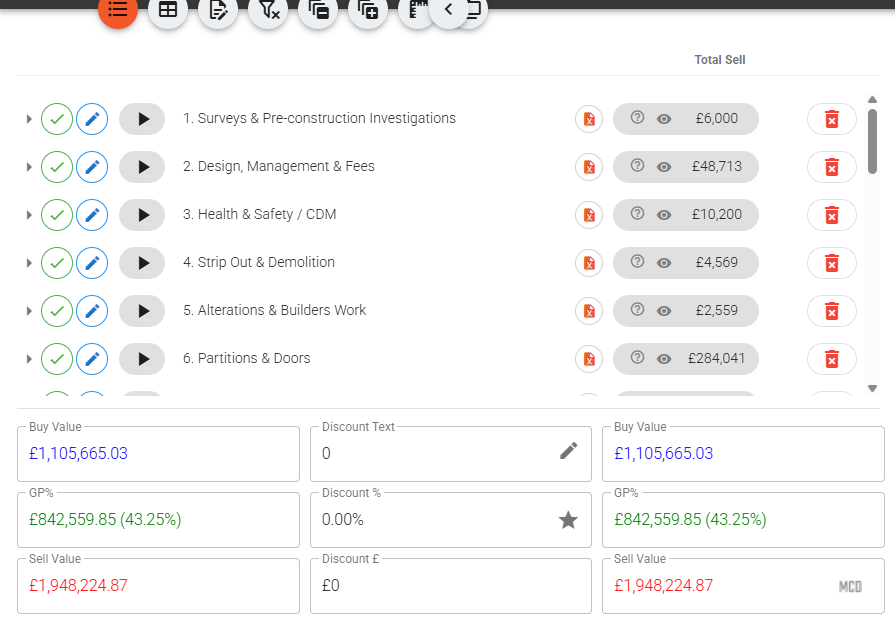
Where it stops being ordinary is the link back to the estimate. On any quote line you choose Link quantity to takeoff, and pin that line to a single measurement, a whole group's total, or the result of an analysis — points inside an area, length inside an area, the overlap of two areas. The line's quantity is now the drawing's quantity, and the estimate carries a badge showing how many lines are linked.
That badge is the useful bit on a Sunday night. Click it and you get drift review — every line where somebody has typed over the linked value, or where the take-off has moved since the link was made. You can update the affected lines, update a selection, or unlink deliberately because you know better. Nothing changes behind your back; it just stops being invisible.
Revision C, then, is a smaller event. Upload it as a revision against the same drawing and the old sheet is kept and marked superseded. If the previous issue carried measurements, Vyntworks offers to port them across. Worth being blunt about this: porting is a convenience, not a promise. The layout may have shifted between issues, so you re-calibrate and re-verify every ported shape against the new PDF. What it saves you is the re-drawing, not the checking.
Letting the AI take the first pass
If your company has Vyntworks Intelligence switched on — it's a paid add-on rather than a standard part of the platform, and the pricing page covers it — you can ask the assistant to measure a plan for you in plain English: "take off the drawing on this quote." It pulls geometry from the PDF's vector data where the drawing has it and falls back to AI vision on image-only pages.
What comes back is a proposal — grouped measurements for you to review. Nothing is written to the drawing until you accept it, and if the drawing already carries your own measurements you decide whether the proposal merges with them or replaces them. Once accepted they behave exactly like hand-drawn ones: same groups, same totals, same line-linking.
Check them. Image-only pages come back flagged as lower confidence for a reason, and an AI that has misread a hatch pattern is no better than a junior who has. The value is that the first ninety minutes of clicking is done and you are reviewing rather than starting.
The same applies to the paperwork end of the job. AI Edit, in the quote editor, takes a supplier's PDF price list or a tender spec and proposes colour-coded insert, update and delete operations against your lines — which you edit and approve before anything is applied.
If your team is still measuring in one tool and pricing in another, book a walkthrough and bring a real drawing set. We'll take one package off it live and link it to a priced estimate, so you can see what the Monday deadline looks like when the quantities and the quote are the same document.