Every contractor has lost money to the same small sentence: "while you're here, can you just…". Someone on site says yes, the work gets done, and the change never makes it onto paper. Three months later the final account is short and nobody can quite reconstruct what happened. The cost is yours; the value evaporated.
Variations are not an edge case — on most fit-out and contracting jobs they are where the real margin is won or lost. The problem is rarely that teams don't know a change happened. It's that capturing it properly competes with twenty other things on a busy site, and "I'll log it later" quietly becomes "free work".
Why variations slip through the cracks
A variation only sticks if it gets recorded, priced and approved by the right person — and those three steps usually live in three different places. The change gets mentioned in an email, the price gets worked out in someone's head or a side spreadsheet, and the sign-off never formally happens. Any one of those gaps is enough for the change to fall off the contract sum.
It also matters who the change is for. A client extra, an internal overspend against your own budget, and a change to a subcontractor's order are three different things with three different approval routes. Lump them into one "extras" tab and you lose the distinctions that decide whether a change actually counts toward what you bill.
Capture it the moment it happens, on the line it affects
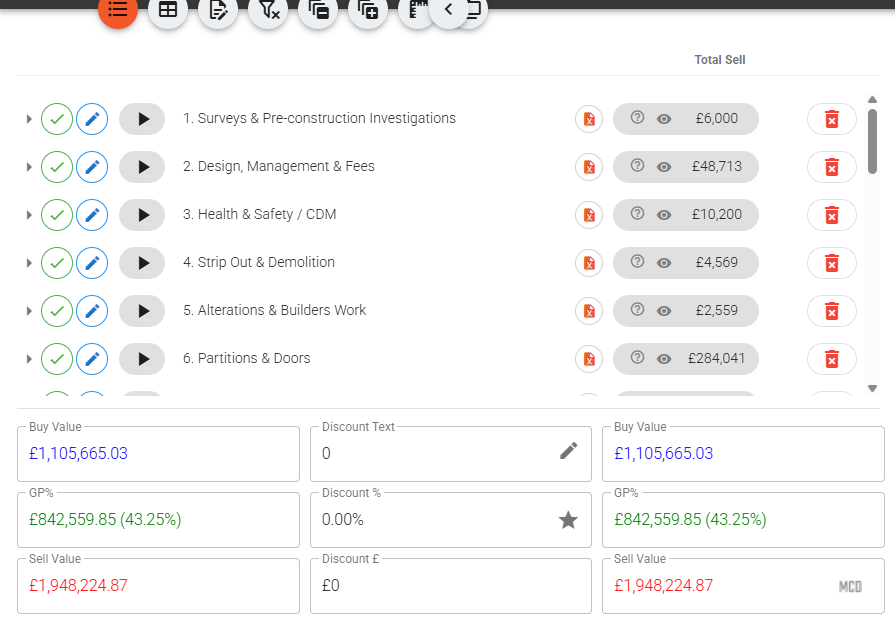
In Vyntworks a variation is raised straight from the project itself. You right-click the section you want to vary in the project table and choose Add Client Variation, Add Internal Variation, or Add Subcontractor Variation. A form opens on that section: you enter the description, the buy and sell figures (or a percentage), site days and quantity — and the supplier, if it's a subcontractor change. Need several lines? Add another and keep going. The change is logged against the part of the job it belongs to, the day it happens, not reconstructed weeks later from memory.
The three types then behave the way they should, because they aren't the same animal:
- Internal variations are the ones that go for sign-off. On save the variation is created as pending and an authorisation email — Approve or Decline — goes to the project's authoriser. It only counts once it's approved; a declined one doesn't, and a pending one can have its authorisation email re-sent if it's sitting too long. This is your guard against quiet overspend: nothing internal moves the numbers until someone with authority has said yes.
- Client variations are changes to the contract value, so they aren't routed for internal authorisation — instead each one carries a client-position tri-state. A small checkbox icon on the line is grey for pending, green for approved, red for rejected, and you click it to record whether the client has actually accepted the change. Only approved client variations count toward the contract sum; rejected ones are excluded. You always know which extras are real money and which are still hanging.
- Subcontractor variations are changes to a subcontractor's order. They need a supplier and are added directly, feeding the subcontractor variation reports. You can also raise one straight from a tender add-on — when a subcontractor's bid includes an extra that wasn't in your scope, it resolves into a variation rather than getting lost in the thread.
A schedule the client can't argue with
The payoff comes at billing. Right-click a line and Create Contract Report and Vyntworks prints the client variation schedule for you. You choose what to include: Active only — approved and pending, the usual schedule — or Include rejected (combined), where rejected rows are clearly marked and excluded from the revised contract sum, or Rejected only if you need to evidence what was turned down. Need to send just a couple of agreed changes? Select the lines and Print Selected Variations instead of the whole list.
Because every variation was captured against a real line, priced at the point it happened, and carries its own approval state, the schedule isn't a reconstruction you sweat over at month-end — it's a by-product of having recorded changes properly all along. The revised contract sum is simply the original plus the changes that actually count.
That is the whole point: a variation captured the day it happens is money on the account. One that lives in someone's memory is money you've already given away.
If your team still tracks changes in email threads and a spreadsheet nobody trusts, book a walkthrough and we'll set variations up on one of your own live jobs — so the next "while you're here" lands on the account instead of on your margin.